
CAG Consolidated Mode – Process Landside Orders
This tutorial shows you how to fulfill landside orders.
Order Prefix & Suffix Reference
- Non-Traveller Orders: LC<YYMMDD0000>-XXXX-A (e.g. LC2004146005-3000-A)
Orders with the prefix LC or LS are placed by Non-Travellers.
How to process the order
- In the Home Page, you may click into Open Orders.
 Alternatively, in the sidebar menu, click on Orders ➡️ All Orders
- Select an order e.g., LCXXXXXXXXXX or LSXXXXXXXXXX.

- Identify the item(s) purchased and check if you have sufficient stocks to fulfill the order. Since the order is currently in Open status, partial or full cancellations can only be done at this stage.
To process the order, click on Ready to Ship. A pop-up window will appear. If able to fulfil the order, select Yes.

Order status has changed to Ready to Ship.
- Click on Print Documents ➡️ Print Delivery Order and Print Order Receipt
📝 Note: Please wait 1-2 minutes before printing the Delivery Order.
Ensure that you have printed 1 copy of the Receipt and 1 copy of the Delivery Order.
📝 All order documents should be printed separately. Please do not print both documents on the same piece of paper.
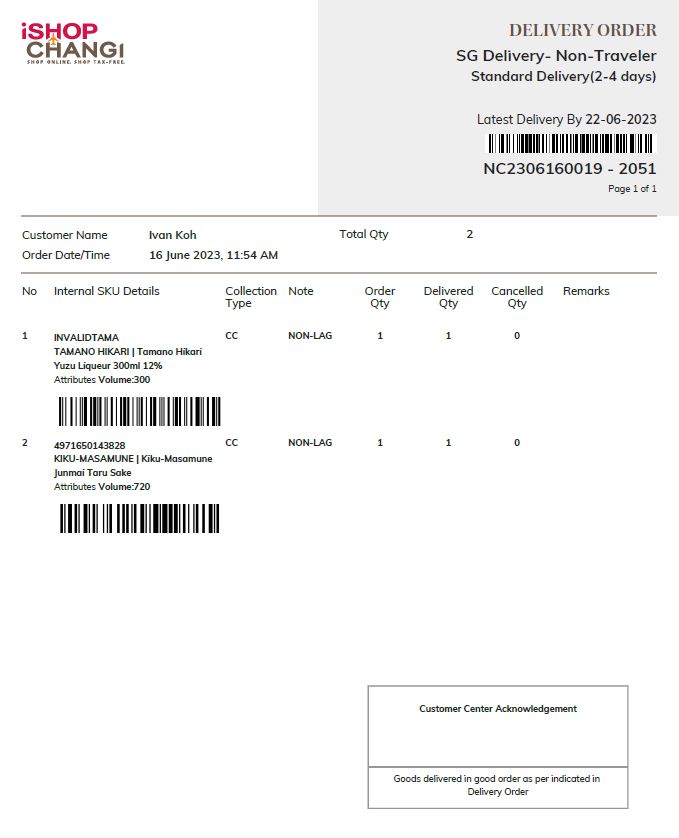
Example: Delivery Order. This is for iSC’s Ground Vendor/Partner to sign and you may keep a signed copy as proof of delivery.
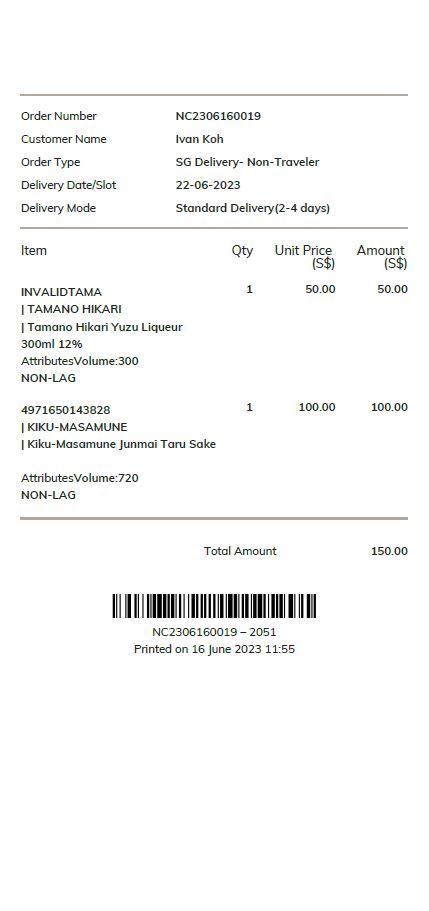
Example: Receipt. This is to be packed in the order to be sent to Customer.
💡 If you need help printing these documents when the order isn’t in Ready to Ship status, please contact us through the Merchant Service Desk on the Okta SSO page.
⚠️ Once orders have been processed, you will not be able to cancel it from your end. Please contact our Customer Service Team at isc.cs@changiairport.com for assistance.
Where to dispatch the order
Once the Landside order has been processed and the status has changed to Ready to Ship, please follow the steps found in In-Airport – Dispatch Landside Orders (CAG Consolidated Mode).