
Add Long Images on WeChat Mini-Programme (WCMP)
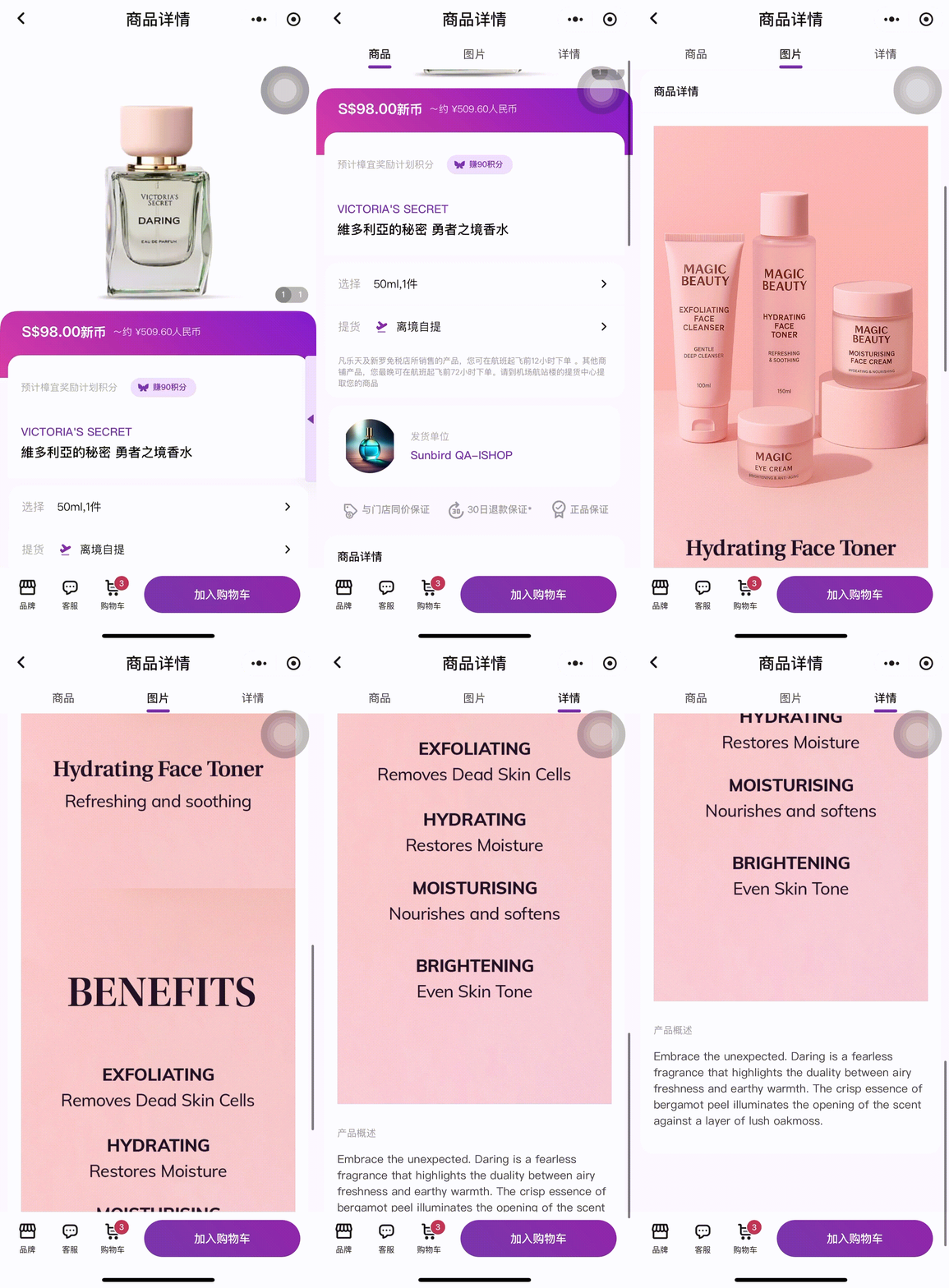
Enhance your product listings by uploading long-form images that showcase key features and benefits. This optional feature helps you better engage customers on the WCMP Product Detail Page (PDP) with visually rich content.
Guidelines
- Format: JPEG, PNG
- Size: ~ 500KB. ⚠️ 4MB max per image.
- Dimensions: 710 x 1400 pixels.
📝 Note: You may upload shorter images as well. e.g., 710 pixels by 1000 pixels.
Additional Notes:
- Images uploaded here will be displayed only on the WCMP PDP and will not be shown on the iShopChangi website.
- If no images are uploaded, the WCMP PDP will continue to display the existing description and images.
- For products with variants, ensure that all variant products in TREX use the same long image.
Individual Update
- Products ➡️ My Products
- Search for the product that you would like to edit.
- Click on the Product Name

- In the Generic Attributes tab ➡️ Click on the pen icon to edit

- Scroll to the WeChat Mini Programme Images (Optional) section ➡️ Click into the box e.g., Image1, to upload an image. 💡 Dimensions: 710 pixels by 1400 pixels. You may upload shorter images as well. e.g., 710 pixels by 1000 pixels.
 📝 Note: Image 1 to Image 5 will be joined together as one vertical image in the WCMP PDP.
- Once done, click on Save & Proceed to Unique Attributes ➡️ click on the Category Attributes tab ➡️ Submit


Mass Update
- Products ➡️ My Products
- Select products to update. Click on Generate export file ➡️ Download last generated export file
- Under the Long Image field ➡️ Input the image URL 💡 Dimensions: 710 pixels by 1400 pixels. You may upload shorter images as well. e.g., 710 pixels by 1000 pixels.
 📝 Note: Image 1 to Image 5 will be joined together as one vertical image in the WCMP PDP.
 - Products ➡️ Add New Products ➡️ Bulk Upload of Multiple Products

- Scroll down to Uploaded Templates section, upload the file or drop it within the box.
 Click on Upload New Template💡 Please check the File Import section below to see the upload status!
- Check the Error section, under Status. If there is an error, please download the error report to see what the error was. Make the necessary edits and try to re-import the file.